

Backup Your Cleaning Company's Computer Data or Risk Losing it Forever
There is an old construction saying, "measure twice and cut once". Now with so many of our business records stored on computers, that saying should be "save once and backup twice". Why backup your files? If you have never lost any information on your computer, consider yourself very lucky!
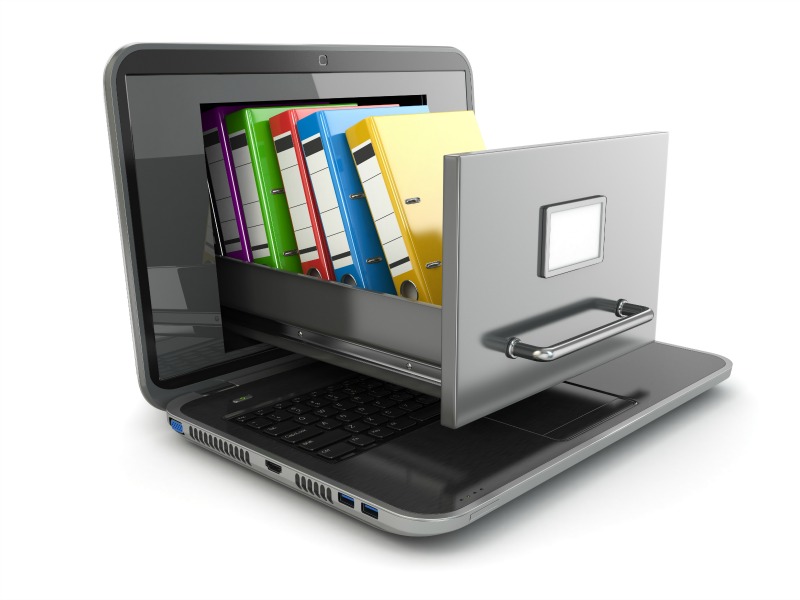
There are many ways a computer can lose data. Lost data can occur due to Mother Nature, human error, or computer failures. Natural disasters such as floods, tornadoes, lighting, and fires as well as computer or human generated disasters like viruses, hard drive failures, corrupt files, or inadvertent deletions will all wreak havoc on your computer data.
Why it's important to backup your cleaning company's computer data!
It is extremely important that cleaning companies have a backup plan for their computer data so if and when a disaster strikes, your company can quickly recover and continue business as usual with minimal interruption to your business operations. Unfortunately, many companies, even with today's affordable data storage options, don't have a backup plan in place. Imagine coming to work to find that all the company records, including customer databases, vendor and supplier information, payroll, accounts payable and receivable, contracts, and so on gone forever. Your company may be gone forever too.
Having a data backup method is essential, but having multiple methods will improve your chances of complete data recovery, just in case one of your current methods fails.
Be proactive and set up a data backup plan before disaster strike. Here are a few questions you will be asking yourself. First, what information should you backup and two, what are some common backup methods?
What information do I back up?
If you use your computer strictly for business, there is no reason not to backup everything. And if your computer is also for personal use, you may have lots of family photos stored, which would be devastating if they were suddenly lost forever. Either way, if you have files you can't easily recreate it is best to have at least one backup copy of those files. Following are some examples of files you should have backup copies of:
- Customer databases
- Billing information
- Bookkeeping software and company data
- Supplier and vendor information
- Business letters and correspondences
- Marketing materials
- Training materials and completion/certificate information
- Bidding packets and customer contracts
- Employee records
- Spreadsheets
- Forms and documents for business use
- Digital photographs
- E-mail program and copies of saved emails
- E-mail address book
- Software you have downloaded from the Internet
- Software installation programs and product keys
- Any pertinent information regarding your company's operations.
How do I backup my computer?
There are many ways to backup your cleaning company's data. You can do a simple data backup by copying files in their original location to a removable media such as an external hard drive, a flash drive or another computer's hard drive on the network. There are software programs you can buy, such as Nova Backup, Acronis Backup, or Shadow Protect, which will automatically back up your files at either periodic intervals or anytime a file changes. This is convenient because you don't have to remember to back up your data, and if you're like most people, it's something that keeps getting put on the back-burner.
If you do not have an external hard drive, you can burn your files to a DVD, but this is a long, tedious process. And if you back up to DVDs or an external hard drive, it is a good idea to make a copy periodically and take that copy and store it at a different location - that way in case of theft, fire, flood or other natural disaster; you will still have copies of your computer's data.
The problem with this type of backup system is that many of the newer computers are no longer including built-in DVD drives. So backing up to the cloud is the most popular way to back up computer files these days.
With an online backup service, you contract with an Internet based company that allows you to backup your data on their servers. IDrive, CrashPlan, Carbonite, Symantec, and Dropbox are examples of a few popular online backup services. Online backup services have software you install on your PC that scans your stored files, encrypts the information, and stores them for you, offsite. Once your files have been stored on their servers, you can access them and restore them to your PC in case of a crash. Most Internet based backup service and storage companies allow you to access your files from the Web or mobile device and can include file sharing. These are popular features for today's business owners who typically run their business while on the run.
The costs of an online backup service will vary depending on how much space you need and the specific services you are looking for, but most run from around fifty dollars to several hundred dollars a year.
Remember, most online backup storage services only save your computers data, not the software you purchased to create the files. Make sure you have records of what software you are running and how to reinstall if you have a failure. Be sure to register an account with the software company on their website, and record the product key, login and password as necessary. In case of a system crash, you should be able to reinstall your software easily without having to purchase the software again.
No matter how reliable your computer is or how competent a computer user you are, backups should be a part of your routine. You should set up your computer to backup your files on a set schedule. In just seconds your computer can lose some or all of its data. Make sure you don't lose days, weeks or even years' worth of work by not having good backup systems in place.
Backing up your company's vital information and data should be a top priority. Losing any or all of your data and information will profoundly impact your company operations, in a bad way. Choose several backup options that will fit your needs and budget and keep your pulse on what is being protected and the current space/storage capacity is. What your needs are today may change tomorrow as your company grows. Schedule automatic backups or set aside certain days during the month for backing up your data and information.
Below are some resources for Online & software backups:
http://www.symantec.com/small-business/
http://www.acronis.com/homecomputing/products/trueimage/index.html
Visit our Store for Certification Training Programs